
Organizations need to break down the walls between storage systems and data center locations. Seamless data movement eliminates the need for data migration, optimizes storage resources and even eliminates cloud lock-in. But how does the organization facilitate this movement without having to constantly update applications and user profiles?
Metadata Management is Key
All files have associated metadata. Even the simplest of file systems provide key elements like location, date created, date modified, date access and type. The problem is the metadata is not shared between the various storage systems and storage locations. What the data center needs is a centralized metadata manager that can take action based on the details within that metadata. For example, a file that hasn’t been accessed in the last 90 days could have its location changed to a more cost effective storage system or to storage in the cloud.
If the users and applications are pointing at the central metadata manager, the movement of data is seamless. They continue to access data through the metadata manager and the metadata manager reroutes those accesses behind the scenes, similar to how a DNS server operates.
Policies Make it Work
Once a centralized metadata repository is in place, the next step is for the solution to provide policies so IT can establish rules based on the available metadata. The above example of moving active data to cheaper storage is an age-based policy. Policies could also be established based on original location, data protection level (such as number of copies) as well as data type.
Managed Metadata Use Cases
Managed metadata can be used to solve a number of problems in the data center from making extra copies of data for data protection or to feed test/dev processes. It could also be used to migrate data to the cloud for specific applications, or to move data between clouds to protect against single cloud failure.
One of the most obvious and immediate use cases is eliminating the challenge of migrating data between systems after a storage refresh, which can be one of IT’s dirty jobs. The first step is identifying the data to be moved, assuming the new system is not replacing the old one in its entirety. Then, more than likely, the organization has to take down time per application or service while the data moves. Finally, after the data is moved, and verified, the applications and/or the users need to have their profiles updated to access the new storage location.
The complexity of migration means organizations will often wait until the last possible moment to bring in a new storage system or move data to the cloud.
A metadata management solution eliminates this complexity. A centralized metadata manager enables the organization to add storage systems as they see fit. For example, instead of replacing the current hard disk-based array with a new flash array the organization can now buy a much smaller and less expensive flash array to store only its most active data.
Metadata Gets Richer
Another important factor is metadata is getting more detailed. Machines and devices are storing information like location, device type and device serial number. Even operating systems are empowering users to set expiration dates and add tag files. The metadata manager will be able to exploit all of these capabilities. For example, IT can create commands such as, “find every file created by device 12345 after July 4th, 2016 no matter where it is stored and move it to storage location X,” to make it easy to archive when needed.
StorageSwiss Take
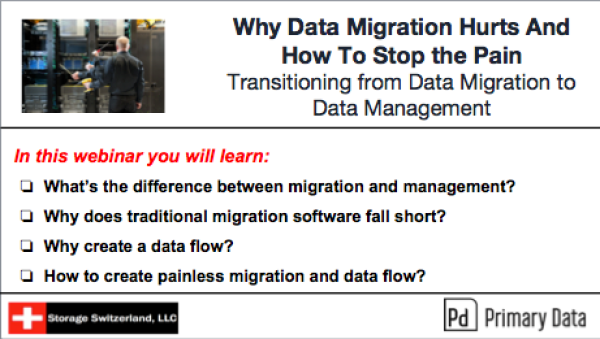
Organizations need to create flow for their data based on metadata intelligence. With a data flow in place they can add new systems, remove old ones and correctly exploit the cloud without having to update applications or user profiles. To learn more about how a data flow can not only solve the migration challenge but also optimize storage resources and locations, join us for our on demand webinar, “Why Data Migration Hurts And How To Stop the Pain”.
Watch On Demand

George Crump is the Chief Marketing Officer at VergeIO, the leader in Ultraconverged Infrastructure. Prior to VergeIO he was Chief Product Strategist at StorONE. Before assuming roles with innovative technology vendors, George spent almost 14 years as the founder and lead analyst at Storage Switzerland. In his spare time, he continues to write blogs on Storage Switzerland to educate IT professionals on all aspects of data center storage. He is the primary contributor to Storage Switzerland and is a heavily sought-after public speaker. With over 30 years of experience designing storage solutions for data centers across the US, he has seen the birth of such technologies as RAID, NAS, SAN, Virtualization, Cloud, and Enterprise Flash. Before founding Storage Switzerland, he was CTO at one of the nation's largest storage integrators, where he was in charge of technology testing, integration, and product selection.


 StorageSwiss.com - The Home of Storage Switzerland