
Organizations evaluating VMware alternatives focus on licensing costs, migration complexity, and feature parity. Disaster recovery rarely makes the shortlist, and that oversight can prove expensive. If the alternative cannot recover from a disaster efficiently, the cost of downtime and data loss can wipe out any licensing savings.
How VMware Alternatives Handle DR
VMware alternatives address disaster recovery in various ways, and almost every approach requires additional customer spending. Each technique impacts recovery design, operation, and restoration differently.
The Backup Technique
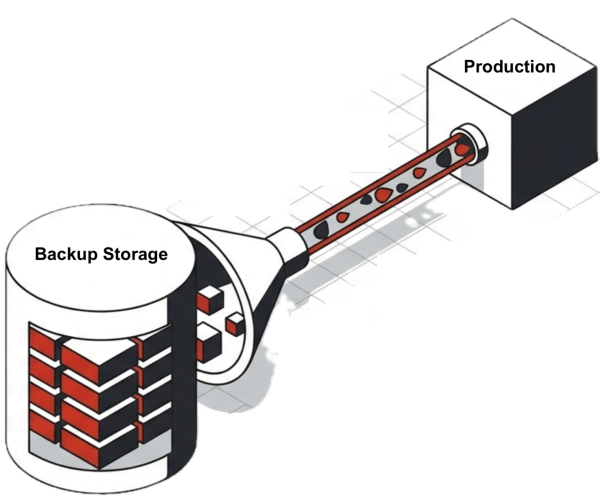
Most vendors use the backup technique. They acknowledge their product lacks viable built-in disaster recovery and tell customers to rely on backup software. Backup has a role in the data center, but positioning it as the primary disaster recovery mechanism is questionable. Backups alone are not DR.
First, backups run once or twice per day, so organizations risk losing hours of data in a disaster. Second, IT must manage two infrastructures at the remote site: a backup repository and a near-production set of servers and storage ready to replace the original production environment.
The biggest challenge is recovery. Relying exclusively on backups forces IT to restore from backup storage targets to standby DR servers. The transfer alone can take hours. If the backup appliances use deduplication, the system must rehydrate data before transfer. If the production storage also uses deduplication, data gets re-deduplicated during restoration. Hours become days.
The VM Technique
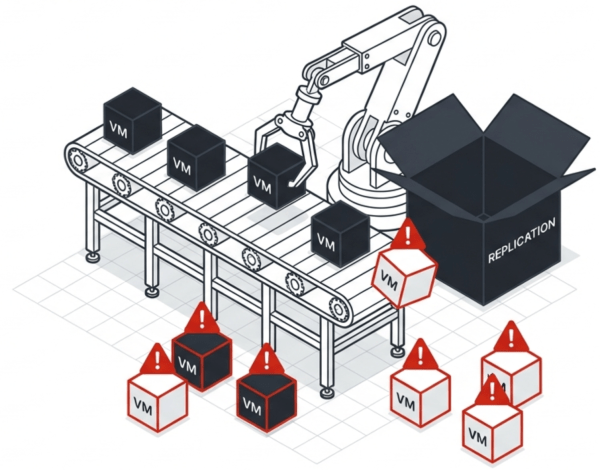
Hypervisor vendors can replicate each virtual machine individually, giving control over what gets replicated and where. Options exist to group VMs into consistency groups, although IT must monitor these groups to ensure new VMs and datastores get added. The VM-level technique works with server-side storage solutions like vSAN or Nutanix Distributed Storage Fabric.
VMware alternatives offer different licensing tiers for VM-level replication, consistency group support, and automated recovery workflows. The more automation, the higher the license cost.
The Storage Technique
The storage technique relies on an all-flash array from vendors like Pure Storage or Dell to move data from production to DR. These arrays replicate at the LUN or vDisk level unless vVols are used. vVols require a VASA provider VM deployed in a highly available state. If the VASA provider goes down, any replication depending on its snapshots stops progressing.
The Granularity Problem
All three techniques share a fundamental limitation: their granularity is at the VM or LUN level. In a disaster, IT does not recover dozens of individual VMs or multiple consistency groups. IT recovers the entire data center, or at least large application groups.
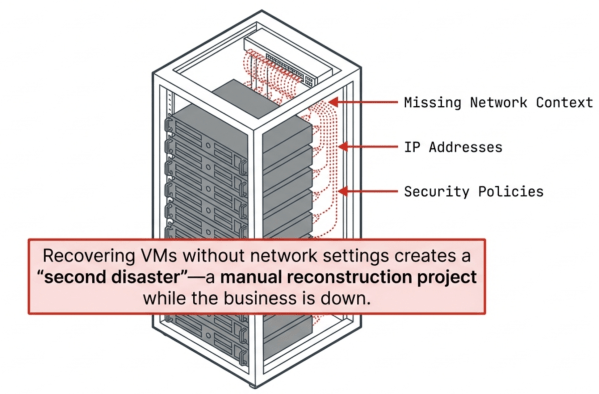
Another aspect of the granularity problem is that these techniques do not capture network configurations, system settings, or infrastructure state without additional software. Recovering VMs without their network settings creates a second recovery project after the first one completes. These gaps require either manual steps IT must document and execute under pressure, or significantly more expensive licenses that create automated runbook-style recovery.
The DR Testing Problem
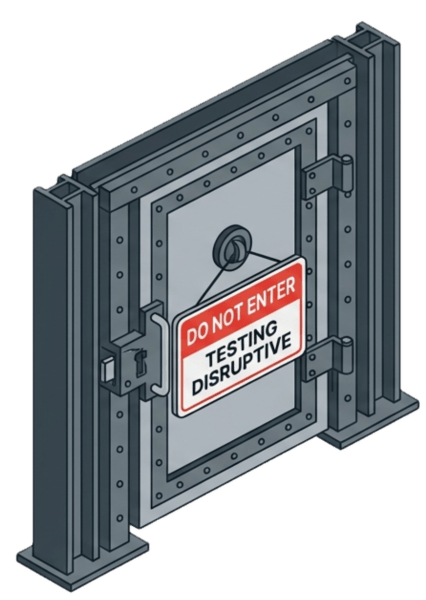
None of these techniques make DR testing easy. Backup-based DR requires scheduling downtime. VM-level recovery requires careful isolation to prevent IP conflicts. Storage-level failover can create network collisions if not properly fenced. Organizations that cannot test DR regularly cannot trust DR when they need it.
Data Center Wide Disaster Recovery
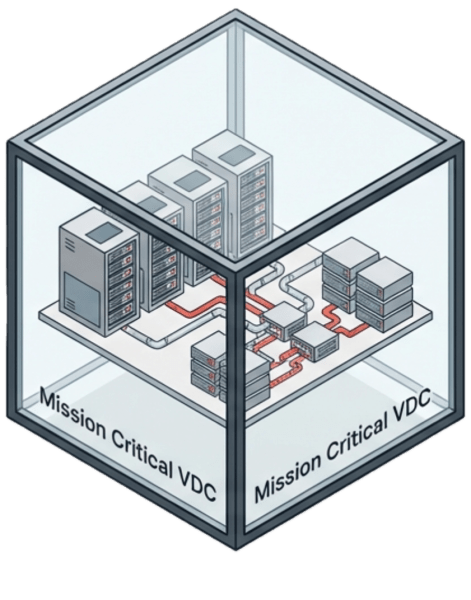
The solution to the granularity problem is a VMware alternative that can replicate and recover the entire instance in a single command. Virtual data centers group applications by criticality: production, test, QA, mission critical, business critical, user applications. Each virtual data center replicates on its own schedule to optimize bandwidth and meet application-specific RPO and RTO requirements.
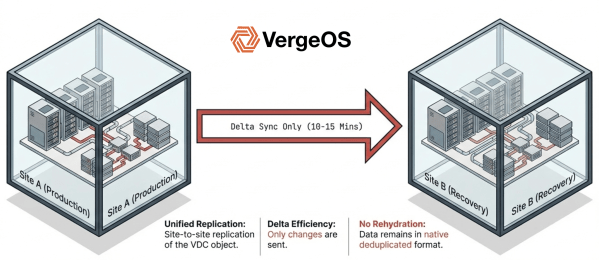
If IT replicates the entire instance every 10 to 15 minutes, sending only delta changes, everything stays protected: VMs, data, network configurations, and system settings. There is no need to maintain individual consistency groups because everything replicates at the same state every time. Recovery becomes a single operation rather than a multi-step project.
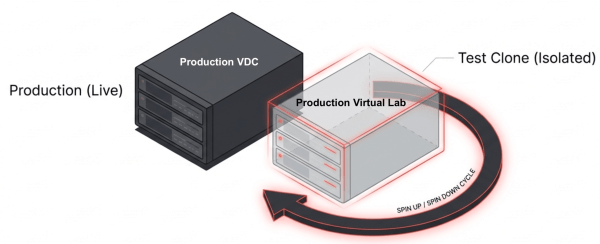
DR testing becomes non-disruptive because entire environments are encapsulated as portable objects. IT can spin up a replicated virtual data center, validate recovery, and tear it down without affecting production or creating network conflicts.
VergeOS and the DR Gap
VergeIO’s Private Cloud Operating System, VergeOS, directly addresses the disaster recovery gap. Virtual data center technology encapsulates entire environments, including compute, storage, networking, and configuration state, as single objects that replicate and recover together. Site-to-site replication runs at intervals as frequent as every few minutes, capturing delta changes without requiring consistency group management.
Recovery is a single operation. Failover brings the entire virtual data center online at the DR site with networking intact. Failback works the same way. DR testing runs on replicated snapshots without affecting production.
The same snapshots that protect entire virtual data centers also handle day-to-day operational recovery. IT can drill into any snapshot to restore an individual virtual data center, a single VM, or specific files without recovering the entire environment. This granular access means that a single snapshot infrastructure serves both disaster recovery and routine operational needs, eliminating the need for separate backup software, VM-level snapshots, and storage array replication running in parallel.
Organizations using VergeOS do not need separate backup infrastructure at the DR site, do not need storage array replication licenses, and do not need professional services to build recovery runbooks. The platform handles disaster recovery as a native capability rather than an integration project.
Macro Recovery in Action
Consider an organization running VergeOS with five virtual data centers organized by criticality:
Mission Critical contains the ERP system, core databases, and payment processing. Replication runs every 5 minutes with an RTO target of 15 minutes.
Business Critical holds CRM, email, and department file shares. Replication runs every 15 minutes with an RTO target of 1 hour.
Production includes web servers, application servers, and supporting infrastructure. Replication runs every 15 minutes with an RTO target of 2 hours.
User Applications contains productivity tools, collaboration platforms, and non-essential services. Replication runs hourly with an RTO target of 4 hours.
Test and QA holds development environments and staging systems. Replication runs twice daily with an RTO target of 24 hours.
Each virtual data center replicates independently, optimizing bandwidth by sending frequent updates for critical workloads and less frequent updates for systems that tolerate longer recovery windows.
Disaster Recovery Scenario
A facility outage takes down the primary site at 2:00 PM. IT confirms the outage and initiates failover at the DR site by 2:05 PM. The most recent Mission Critical snapshot completed at 1:57 PM. The Mission Critical virtual data center comes online at 2:08 PM with all VMs, storage, and network configurations intact. No runbook. No manual VM recovery. No network reconfiguration.
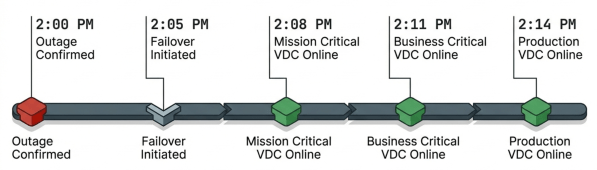
Business Critical follows at 2:11 PM using its 1:50 PM snapshot. Production comes online at 2:14 PM. Within 15 minutes of the outage, all critical workloads are running at the DR site. Users reconnect to applications that work exactly as they did before the outage.
Operational Recovery Scenario
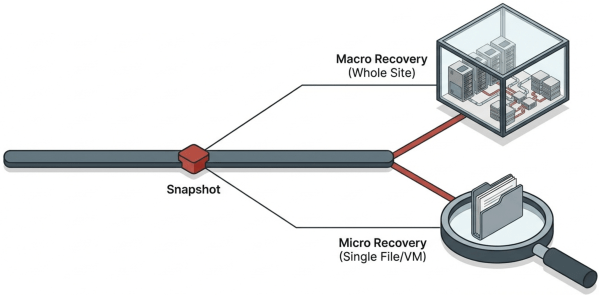
A user deletes critical files from a shared folder on Tuesday afternoon. IT does not need to recover an entire virtual data center or restore a full VM. Instead, IT mounts the system-wide snapshot from Tuesday morning, navigates to the specific VM, and mounts it as a drive to the production VM. IT then browses to the specific folder and restores only the deleted files. The operation takes minutes, recovery is instant, and affects nothing else in the environment.
The following week, a software update corrupts an application server. IT restores that single VM from the Production snapshot taken before the update. The VM returns to its previous state with its network settings intact. Other VMs in the Production virtual data center continue running without interruption.
DR Testing Scenario
Quarterly compliance requires DR validation. IT spins up the Mission Critical virtual data center from its latest snapshot at the DR site in an isolated network. The team validates application functionality, confirms database integrity, and documents recovery time. When testing completes, IT tears down the recovered environment. Production never noticed.
The Real Evaluation Criteria
Licensing cost reduction matters, but disaster recovery readiness determines whether an organization survives an outage intact. VMware alternatives that rely on backup software, VM-level replication, or storage array features create gaps that surface only when recovery is urgent.
The question for evaluators: does the alternative protect the data center as a whole, or does it protect components that IT must reassemble under pressure? The answer separates platforms built for resilience from platforms that treat DR as an afterthought.

George Crump is the Chief Marketing Officer at VergeIO, the leader in Ultraconverged Infrastructure. Prior to VergeIO he was Chief Product Strategist at StorONE. Before assuming roles with innovative technology vendors, George spent almost 14 years as the founder and lead analyst at Storage Switzerland. In his spare time, he continues to write blogs on Storage Switzerland to educate IT professionals on all aspects of data center storage. He is the primary contributor to Storage Switzerland and is a heavily sought-after public speaker. With over 30 years of experience designing storage solutions for data centers across the US, he has seen the birth of such technologies as RAID, NAS, SAN, Virtualization, Cloud, and Enterprise Flash. Before founding Storage Switzerland, he was CTO at one of the nation's largest storage integrators, where he was in charge of technology testing, integration, and product selection.


 StorageSwiss.com - The Home of Storage Switzerland
Leave a comment