
Selecting a VMware alternative is hardest for organizations that built a hyperconverged infrastructure (HCI) strategy around vSAN. They have to pick a new hypervisor, and they also have to pick a new storage strategy or find a vSAN alternative that can reuse the servers and drives vSAN runs on today. A customer with an external SAN can point a new hypervisor at the array it already owns. A vSAN customer has no array to point at. The storage lives inside the VMware stack, so it leaves with VMware.
Key Takeaways
- Leaving VMware means leaving vSAN, so a vSAN exit is a storage decision as much as a hypervisor decision.
- The right vSAN alternative runs on the existing vSAN hosts and includes server-side storage that matches vSAN’s data services and improves on them.
- A backup-style migration (back up, convert, test, update incrementally, cut over) keeps production on VMware until the final cutover.
These same organizations have also taken a double hit on licensing. Broadcom’s move to per-core subscriptions raised the base cost, and vSAN capacity beyond the bundled entitlement is now licensed per TiB on top of it. Most vSAN shops end up on VMware Cloud Foundation (VCF) to get the entitlement they need. That raises the cost again and has them paying a premium for features they never planned to use.
Key Terms
vSAN
VMware’s software-defined storage, built into the ESXi hypervisor. It pools the internal drives of each host into a shared datastore for the cluster.
Hyperconverged Infrastructure (HCI)
An architecture that runs compute and storage on the same servers in place of a separate storage array.
Global Inline Deduplication
Removes duplicate data across the entire storage pool as it is written, before it consumes capacity. Post-process deduplication runs later, after the data is already stored.
Maintenance Mode With Full Data Migration
A vSAN option that moves every object off a host to the remaining nodes before the host leaves the cluster.
Those pressures make the choice of alternative far more consequential than a hypervisor bake-off. Here is what to look for.
Reuse of the Existing vSAN Hardware
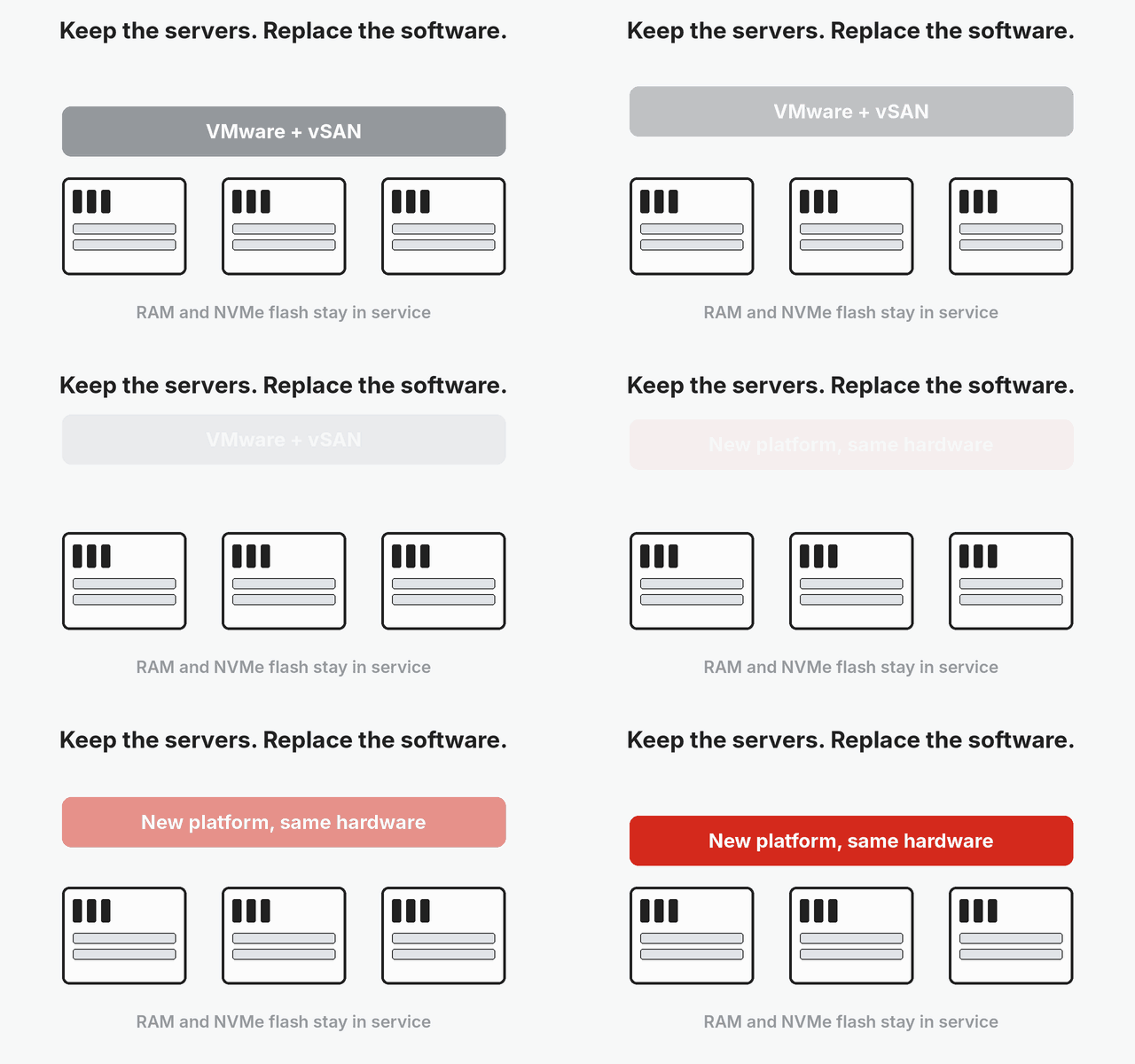
vSAN asks for a significant hardware investment to deliver acceptable performance. It consumes a large amount of RAM on every host, and the Express Storage Architecture expects high-performance NVMe flash. Many vSAN customers bought that hardware within the last few years, and it has plenty of life left.
A VMware alternative that cannot use that hardware forces the customer to buy, at a minimum, a new storage system and potentially new servers. That purchase comes at a bad time. AI factories have an insatiable appetite for memory and flash, and their demand is driving data center inflation, with price increases of up to 5X on some components and supply constraints on others.
Finding an alternative that runs on the existing vSAN hardware is a strategic imperative, and fully using that hardware requires an alternative with a server-side storage service equal to or better than vSAN.
The alternative should also improve on vSAN’s hardware requirements. Lower RAM, CPU and capacity overhead per host extends server life, increases VM density and delays the next planned purchase of servers, storage and memory. In this market, every quarter a refresh slips is money the organization keeps.
A Hypervisor With Built-In Server-Side Storage
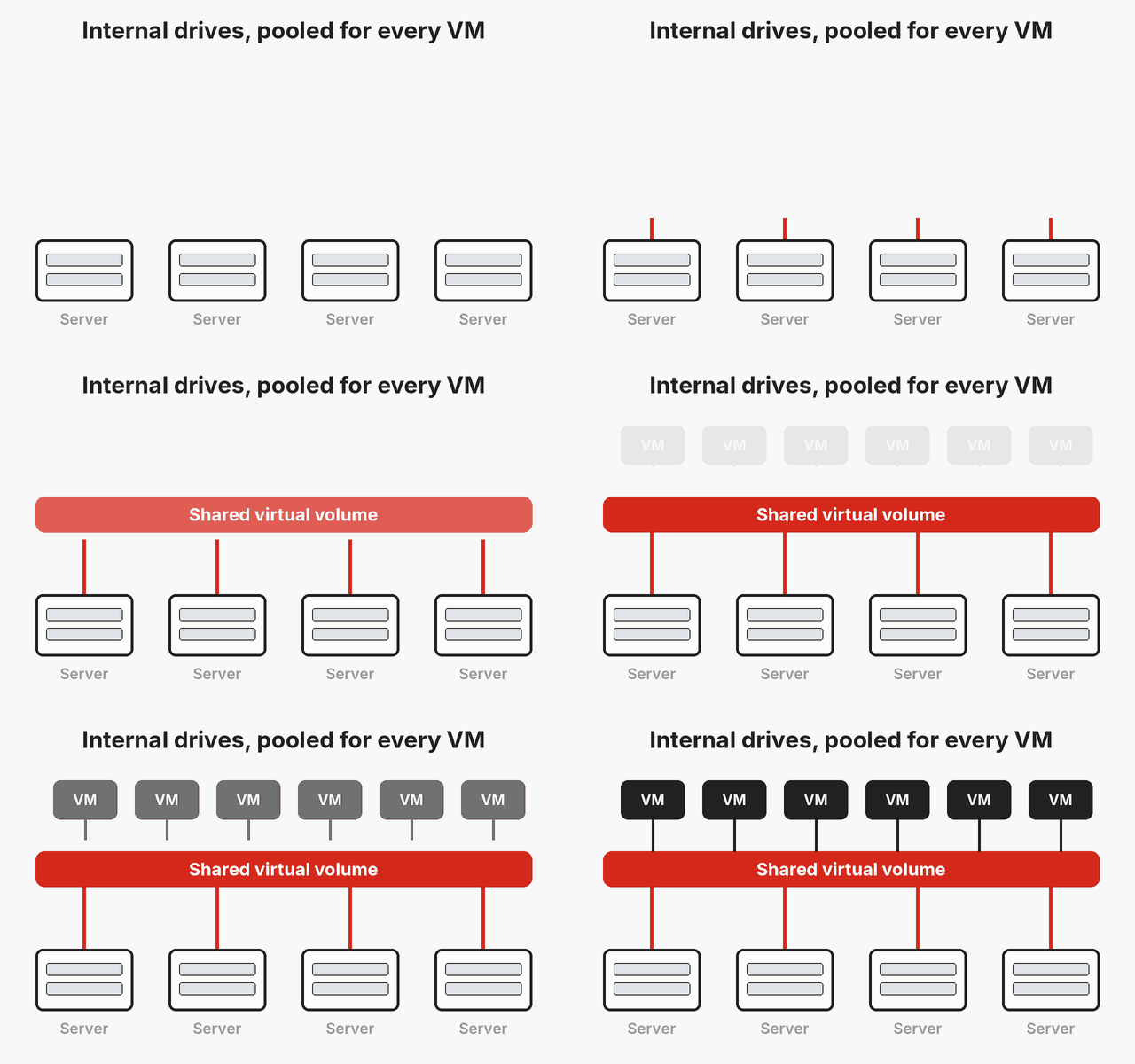
Taking full advantage of the vSAN hardware investment means choosing a hypervisor that includes a server-side distributed storage service. That service aggregates the internal drives from multiple servers into one or more virtual volumes that every virtual machine in the environment can access.
At a minimum, the storage service should match the vSAN basics IT teams depend on today: drive failure protection, snapshots, immutable snapshots and encryption.
The move is also a chance to get more than vSAN delivers. IT professionals should look for global inline deduplication instead of post-process deduplication, so data is reduced before it consumes capacity rather than after. Support for media other than NVMe SSDs lets the organization keep SATA and SAS flash in service and match drive cost to the workload. Faster recovery from a drive failure shrinks the window in which a second failure puts data at risk.
| What to Look For | Why It Matters |
|---|---|
| Runs on the existing vSAN hosts | Keeps the organization from buying servers, memory and flash at today’s inflated prices |
| Built-in server-side storage | Matches vSAN data services and improves on them with inline deduplication, mixed media and faster rebuilds |
| Backup-style migration | Keeps production on VMware until cutover and shortens the outage |
Migration of VMware VMs and vSAN Data
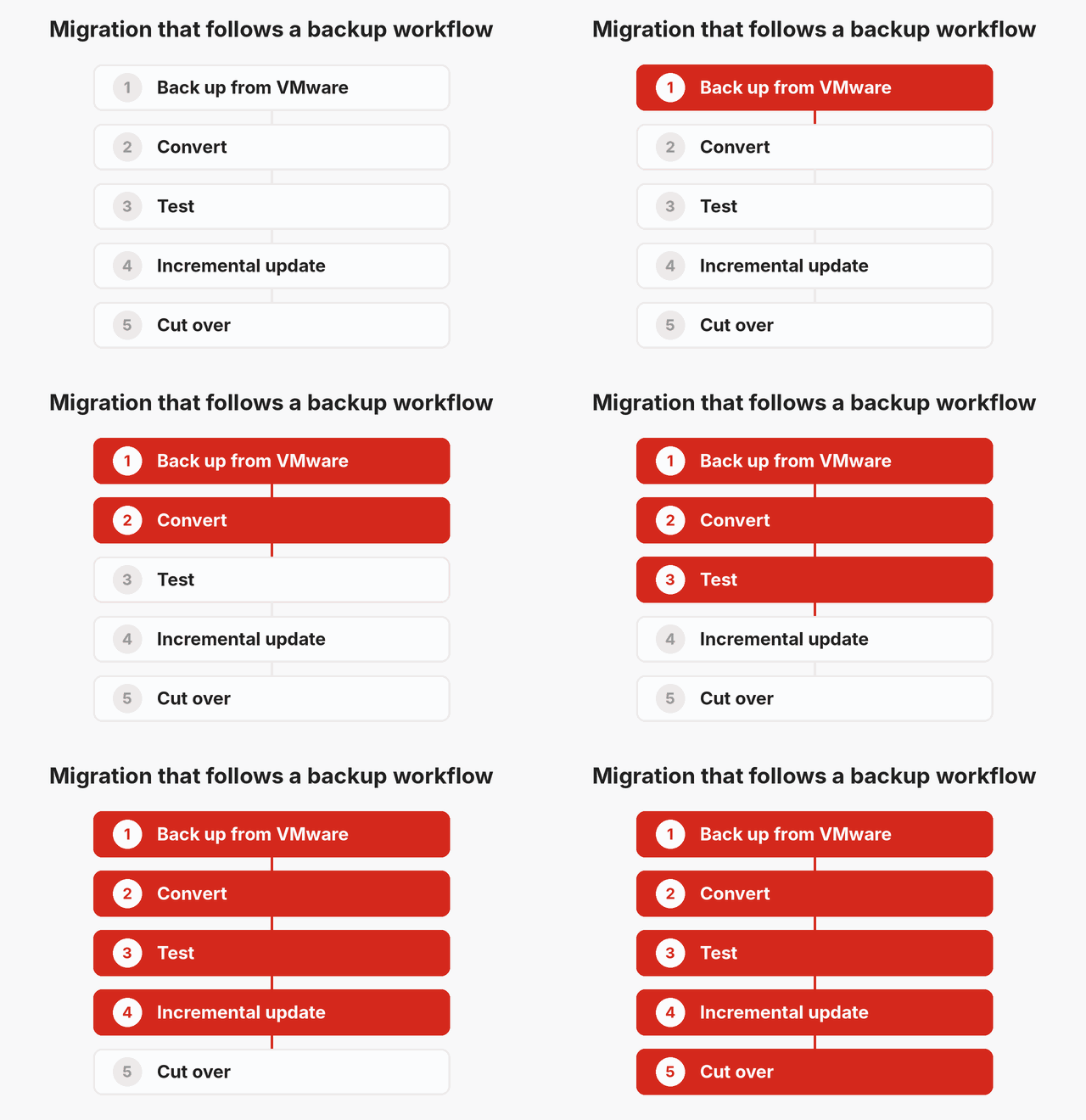
For vSAN shops, getting data onto the new platform’s storage service is the critical step. The best method follows a backup metaphor. The new platform “backs up” each VM from VMware, and the copy arrives as a backup object that the platform can update incrementally. Migration then follows a simple workflow: back up, convert, test, update incrementally and cut over.
That model keeps the production VM running on VMware until the final cutover. Testing happens against a real copy of the data, and the last incremental update moves only the changes since the previous pass, so the outage at cutover stays short.
Repurposing Hosts One at a Time
Organizations that want to repurpose their existing vSAN hosts can roll the new platform through the cluster one server at a time. Confirm first that the remaining nodes have the capacity and memory to absorb an evacuated host. Then move all VMs off one host and put it into maintenance mode with full data migration active, which moves its data to the remaining nodes before the host leaves the cluster. Install the new platform on the freed host.
Next, back up a few workloads, meaning collections of interrelated VMs and their data, convert them and verify compatibility. Once they check out, run an incremental update, shut down the VMware VM and start it on the new platform. Repeat the process host by host until every VM has been converted.
VergeOS as an Example
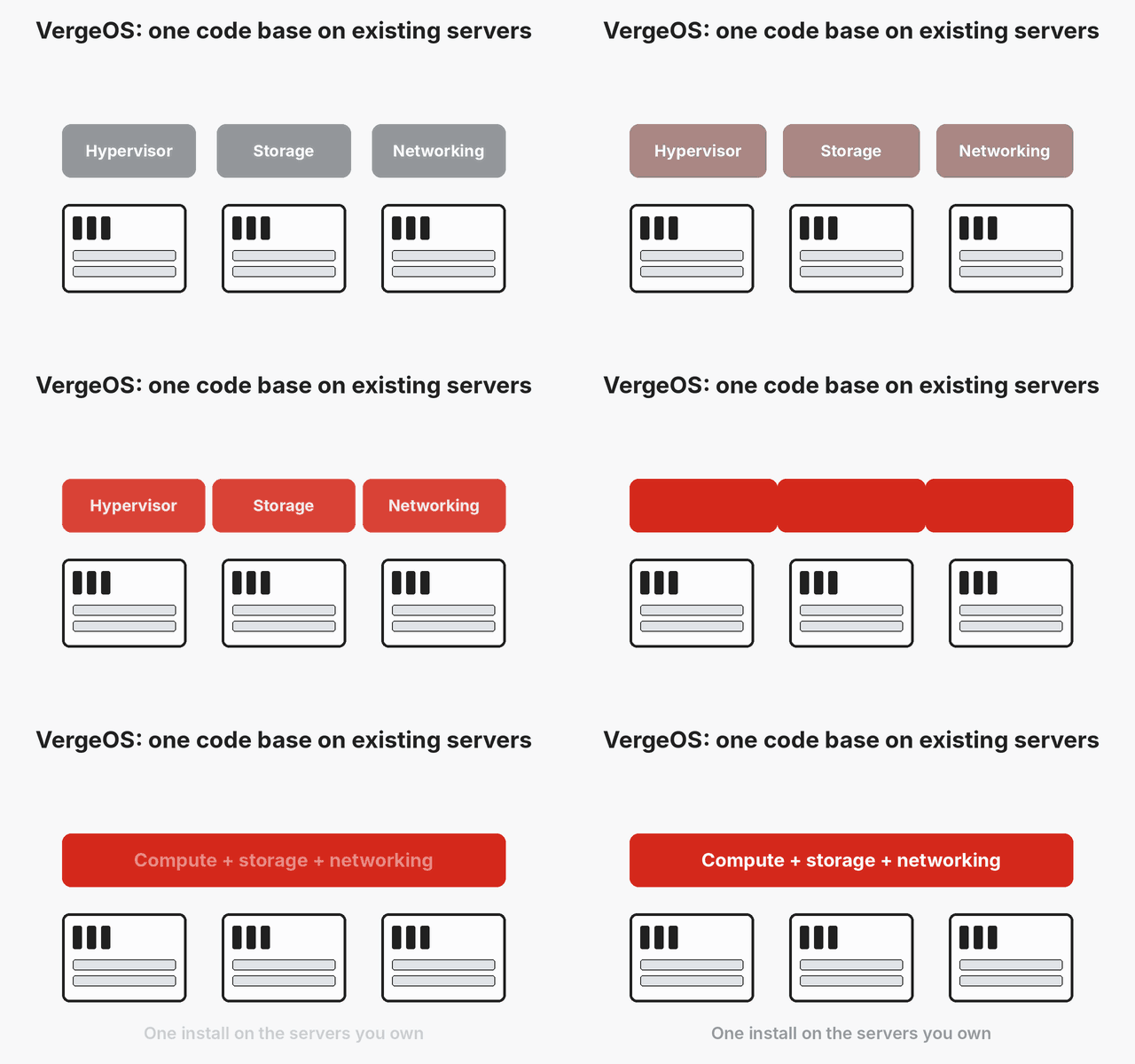
VergeOS from VergeIO is a good example of a platform built to these criteria. It is an infrastructure operating system that runs the VergeHV hypervisor, VergeFS distributed storage and networking in a single code base. It installs on bare metal on the servers the organization already owns, including the hosts vSAN runs on today, and it mixes drive types, server vendors and CPU generations within the same instance. VergeFS includes global inline deduplication, immutable snapshots and encryption.
VergeOS also follows the backup metaphor for migration. Its IOmigrate capability connects to vCenter, copies each VM through VMware’s backup interface and keeps that copy current with incremental updates until cutover. ioGuardian extends protection past single drive failures, keeping workloads running through multiple simultaneous drive or node failures by serving data from a separate copy.
StorageSwiss Take
Leaving VMware means leaving vSAN, and that turns a hypervisor decision into a storage decision. The right vSAN alternative runs on the servers the organization already owns, delivers server-side storage that matches vSAN and improves on it, and moves VMs and data with a workflow that keeps production running until cutover. IT teams that hold every candidate to those criteria avoid a second hardware refresh in the most expensive memory and flash market in years.
To see the three exit paths open to vSAN customers compared in detail, along with a live demonstration of the migration process, join the TruthInIT webinar Leaving VMware Means Leaving vSAN: Your VMware Exit Is Really a Storage Decision on Thursday, November 12, at 1:00 PM ET. Register here.
Frequently Asked Questions
Why is leaving VMware harder for vSAN customers?
vSAN is part of the VMware stack, so the storage that holds every production VM leaves with the hypervisor. SAN customers can point a new hypervisor at the array they already own. vSAN customers need a new storage layer as well.
Can I reuse my vSAN servers with a VMware alternative?
Yes, when the alternative includes its own server-side distributed storage service. Rolling the new platform through the cluster one host at a time converts the hardware in place and avoids a forklift replacement.
How does a backup-style migration reduce downtime?
The new platform copies each VM as it keeps running on VMware, then applies incremental updates. The final update moves only recent changes, so the outage covers the shutdown, the last sync and the restart.
What storage features should a vSAN alternative include?
At a minimum, drive failure protection, snapshots, immutable snapshots and encryption. Look for global inline deduplication, support for SATA and SAS flash alongside NVMe, and fast rebuilds after a drive failure.

George Crump is the Chief Marketing Officer at VergeIO, the leader in Ultraconverged Infrastructure. Prior to VergeIO he was Chief Product Strategist at StorONE. Before assuming roles with innovative technology vendors, George spent almost 14 years as the founder and lead analyst at Storage Switzerland. In his spare time, he continues to write blogs on Storage Switzerland to educate IT professionals on all aspects of data center storage. He is the primary contributor to Storage Switzerland and is a heavily sought-after public speaker. With over 30 years of experience designing storage solutions for data centers across the US, he has seen the birth of such technologies as RAID, NAS, SAN, Virtualization, Cloud, and Enterprise Flash. Before founding Storage Switzerland, he was CTO at one of the nation's largest storage integrators, where he was in charge of technology testing, integration, and product selection.


Leave a Reply